
Font File Viewer
Introduce
Open a ttf or otf file to view the character information in it
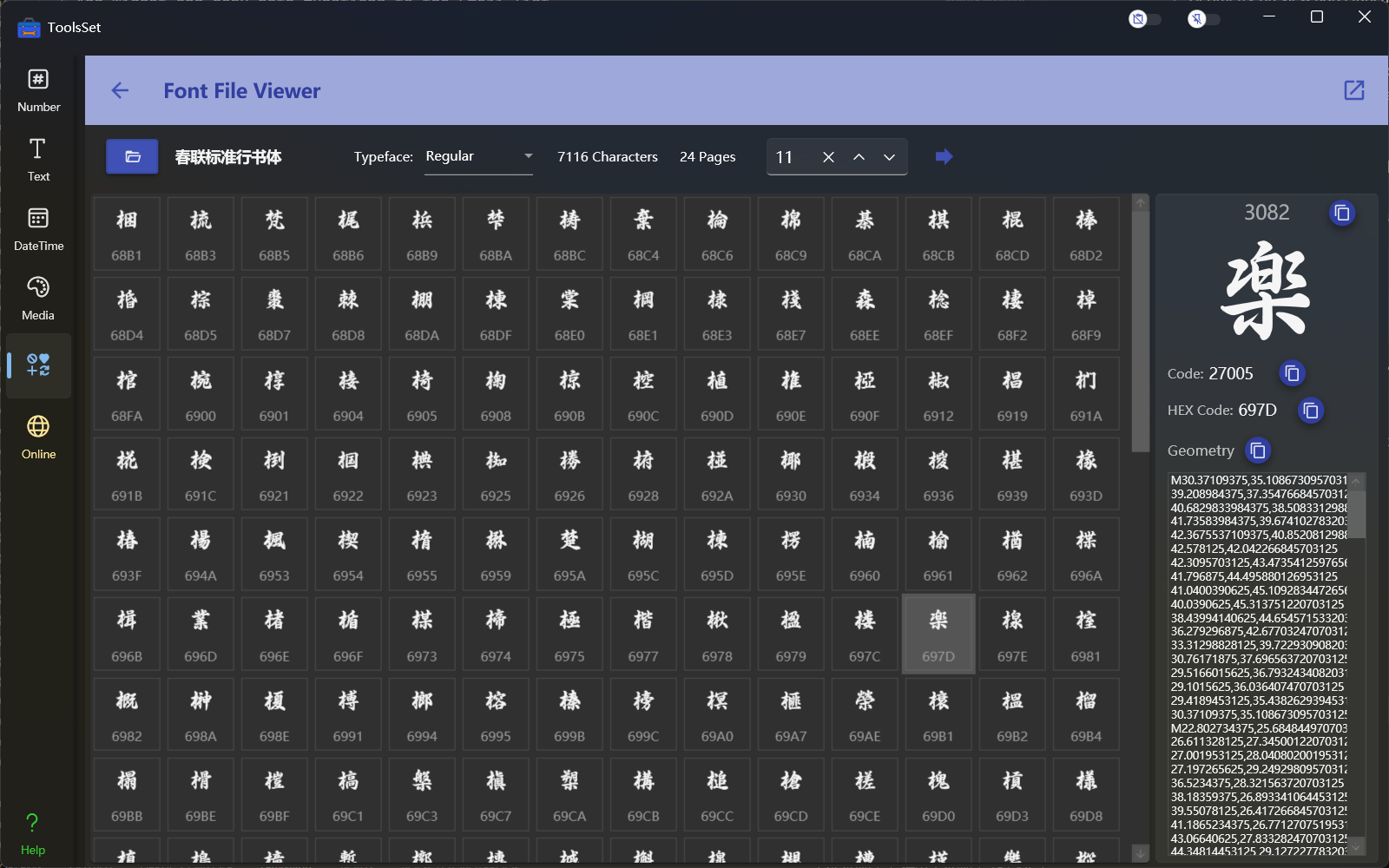
How to use
- Select Font: Click the open file button on the left side of the toolbar, choose a font file in ttf or otf format in the open file dialog. After opening the font file, the right side will display the typefaces, number of characters, and the number of pages included in the font. Each page shows up to 300 characters, and you can jump to a specific page on the right.
- Jump page: You can enter the number of pages in the text box and click the arrow icon to jump, or you can click the up and down arrows to view the page by page
- View characters: Click a character in the list below to view the character information on the right side, including the decimal encoding, hexadecimal encoding, and the geometry of the character
You can use the copy button on the right of the character information to copy its code and other corresponding content