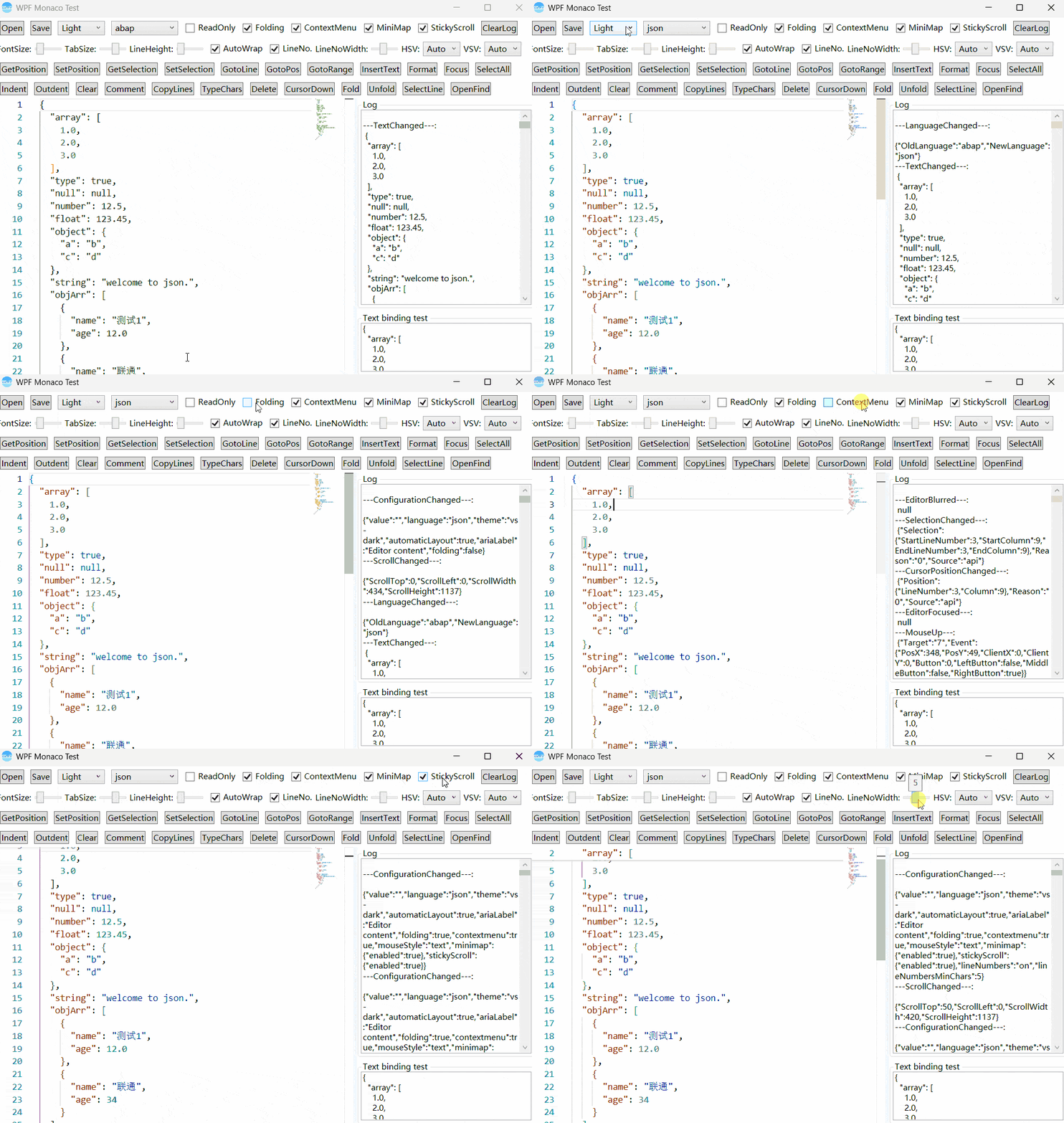
WpfMonaco
Introduce
A fully-featured WPF wrapper control for Microsoft's Monaco editor (the code editor that powers VS Code), built on WebView2, provides configuration binding, common methods and events.
Monaco Editor version v0.55.1
Monaco option (DependencyProperty):
- Theme:Set the editor theme, include: Light, Dark, HCLight, and HCDark
- ModelLanguage:Set the language to use for syntax highlighting
- Text:Text content
- ReadOnly:Whether it is read-only. When true, the editor is in read-only mode, default is false
- Fontfamily:Set editor’s fontfamily
- FontSize:Set the editor's font size, default is 14
- MinimapEnabled:Set whether the right-side minimap navigation is enabled, default is true
- TabSize:Set the tab size, default is 4
- WordWrap:Set whether to wrap text automatically, default is true.
- ShowLineNumber:Set whether to display line numbers, default is true
- LineNumbersChars:Set the width for displaying line numbers, default is 5
- LineHeight:Set editor's line height, default is 19
- Folding:Set whether to display the fold area, default is true
- ContextMenuEnable:Set whether the context menu is enabled, default is true
- HorizontalScrollBarVisibility:Set the display mode of the horizontal scrollbar, default is auto
- VerticalScrollBarVisibility:Set the display mode of the vertical scrollbar, default is auto
- ShowStickyScroll:Set whether to display the StickyScroll area, default is true
- AutoClosingQuotes:Set whether to automatically close quotes
- AutoClosingBrackets:Set whether to automatically close brackets
Monaco method
- GetLanguages:Get the list of languages supported by the editor
- GetText:Get the text content from the editor
- UpdateOptions:Set options for the editor
- SetText:Set the text content in the editor
- GetPosition:Get the current cursor position
- SetPosition:Set the cursor to the specified position
- GetSelection:Get the currently selected text content
- SetSelection:Set the text of the selected area
- Focus:Set focus to the editor
- Format:Format the editor content according to the language type
- Clear:Clear content in the editor
- SelectAll:Select all content in the editor
- GoToLine:Scroll to the specified line
- GoToPosition:Scroll to the specified position
- GoToRange:Scroll to the specified range
- InsertText:Insert specified text into the designated area
- ExecuteTrigger:Execute the specified trigger
Monaco event
- ContentChanged:Execute when the text content changed
- CursorPositionChanged:Execute when cursor position changed
- SelectionChanged:Execute when selection changed
- EditorFocused:Execute when editor got focus
- EditorBlurred:Execute when editor lost focus
- MouseDown:Execute when mouse button down
- MouseUp:Execute when mouse button up
- KeyDown:Execute when the keyboard key down
- KeyUp:Execute when the keyboard key up
- LanguageChanged:Execute when model language changed
- ScrollChanged:Execute when the scroll bar position changed
- EditorPaste:Execute when paste content in the editor
Basic Usage
Prerequisites
- .NET 6.0 or later
- Microsoft Edge WebView2 Runtime
- Visual Studio 2022 or later
Add package from nuget
dotnet add package WPFMonaco
- Use control
<Window xmlns:editor="clr-namespace:WPFMonaco;assembly=WPFMonaco">
  ...
  <editor:MonacoEditor Text="{Binding Text}"/>
  ...
</Window>
Sample Screenshot: